
Introduction
In today’s world, WhatsApp has become more than just an app – it’s a lifeline connecting us to friends, family, and colleagues. Within those chats lie memories and conversations we hold dear. But what if we accidentally delete them? That’s where the magic of backing up and recovering old WhatsApp chats comes in. Whether it’s for nostalgia or practicality, understanding how to do this can save the day. In this post, we’re here to walk you through the process, ensuring no chat is lost forever.
Part 1: Ensuring Safekeeping with WhatsApp Chat Backups
Before we leap into the recovery zone, it’s vital to have a safety net. WhatsApp offers some nifty ways to create backups, tailored to your device and preferences:
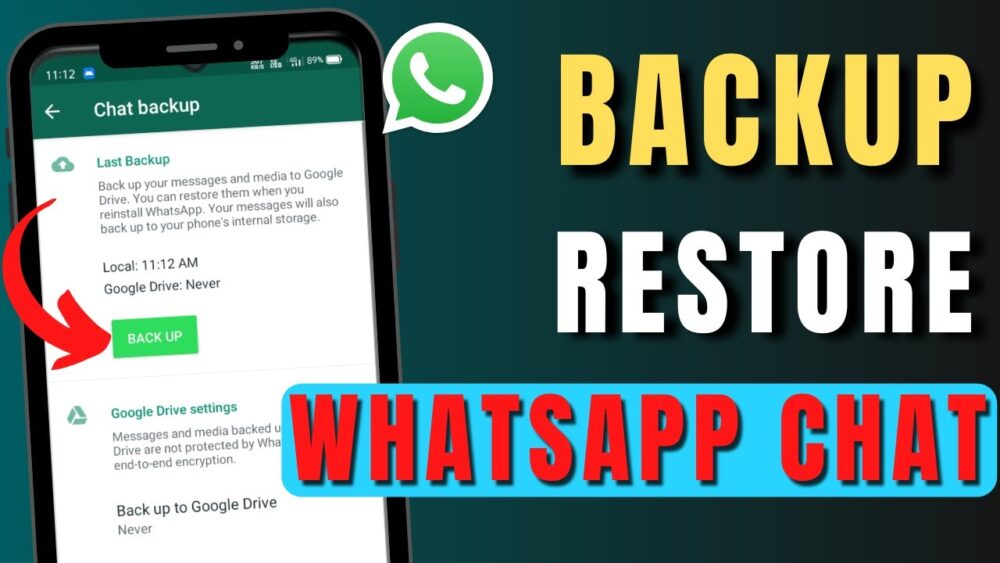
- Automatic Backups: Think of this as a digital memory keeper. WhatsApp lovingly crafts backups of your chats every day, storing them on your device or even cloud services like Google Drive (for Android) and iCloud (for iOS). To ensure this happens, slide into WhatsApp Settings > Chats > Chat backup.
- Manual Backups: Sometimes, a manual touch is what we need. If you want to make sure your latest conversations are backed up before making any changes, go to WhatsApp Settings > Chats > Chat backup and tap on “Backup Now.”
- Choosing Backup Frequency: This one’s all about your rhythm. In Chat backup settings, pick how often backups happen – daily, weekly, or monthly, depending on your groove.
Part 2: The Lost and Found: Recovering Old Deleted Chats
Don’t worry if you’ve accidentally given a conversation the boot. WhatsApp’s got your back, provided you’ve worked your backup magic before:
- From Local Backup: Imagine you have a time machine, but in WhatsApp. If you’ve got local backups tucked away on your device, you can uninstall and reinstall WhatsApp. During setup, WhatsApp’s magical detectors will spot the backup and let you restore those chats you thought were lost.
- From Cloud Backup (Android): If you’ve linked WhatsApp to Google Drive, consider it your trusty backup vault. When you reinstall the app on the same or a new device, use the same phone number and Google account. This way, you can tap into the cloud’s powers and recover your chats.
- From iCloud (iOS): iPhone users, your chats are stashed away in iCloud’s embrace. Reinstall WhatsApp, sign in with the same phone number and Apple ID, and watch the restoration unfold.
Tips for Successful Recovery
- Time Your Move: Think of recovery like catching a wave – it’s all about timing. The chats you can recover depend on the backup that holds them. So, keep your backups fresh and updated.
- Stay True to Your Number: Just like you need the right key to unlock a door, you need the same phone number that was used when the backup was made for successful recovery. Changing numbers can make things tricky.
- Space is Key: Imagine your device is like a puzzle – make sure all the pieces fit. Clear some space to let the backup restoration work its magic.
Conclusion
Losing chats on WhatsApp can feel like losing a piece of your digital world, but don’t despair. The platform’s backup and recovery features are like having a trusty superhero by your side. By regularly backing up your chats and getting friendly with the recovery process, you can keep your memories and conversations safe. Remember to keep those automatic backups active and check in on your backup settings now and then. Armed with these tips, you’ll be well-equipped to save and restore your old WhatsApp chats, keeping your digital connections and memories alive for years to come.